

AI in UX Design: How User Experiences Are Changing with Smart Interfaces

If you have used a shopping app that somehow knows what you want next, or a banking app that spots a suspicious transaction before you do, you have already experienced AI in UX design in action. AI is no longer just a backend “smart feature.” It is becoming part of the interface itself. It shapes what you see, when you see it, and how the product responds to you.
That is why conversations around AI-driven UX design are getting louder. It is not just about making screens look modern. It is about making interactions feel more helpful, more personal, and sometimes more invisible.
What is “smart UX”?
Smart UX means the interface can adjust based on signals. Those signals could be your past actions, your location, your device, the time of day, your language preference, or the content you are currently viewing. When done right, this feels like the product “gets you.” When done badly, it feels creepy, confusing, or inconsistent.
This is where the role of AI in UX becomes important. AI is not replacing good UX thinking. It is adding a new layer of decision-making inside the experience. It can predict, recommend, summarise, assist, and even generate content. And yes, that changes the craft of design too. Let’s break down how AI is changing UX design in real, simple ways you see daily:
1) Personalisation that feels natural
Earlier personalisation was mostly “people also bought.” Now it can be much deeper: product feeds that rearrange themselves, learning modules that adapt to your pace, music apps that predict your mood, and even news apps that highlight what you are likely to care about. This is part of AI-driven UX design because the interface is not the same for everyone.
2) Smarter search and discovery
Search bars are becoming more like conversation. You type less. You get better results. Some apps understand messy queries like “black shoes for office under 200” and still deliver. This is a major reason how AI affecting user experience is not just a buzz phrase. Discovery becomes faster and less frustrating.
3) Helpful micro-assistance
Think of tools that auto-fill forms, detect errors while typing, suggest replies, or summarise long pages. These small helpers reduce effort. They also reduce the number of steps in a flow, which is a big win for usability. This is a clear example of AI in UX design improving real experience, not just adding flashy features.
4) Interfaces that react to context
A travel app can show different options based on your current city. A food app can prioritise quick delivery late at night. A finance app can warn you when spending is unusual. This is a strong AI impact on UX design because the interface becomes situational instead of generic.
Generative AI is changing how interfaces are built
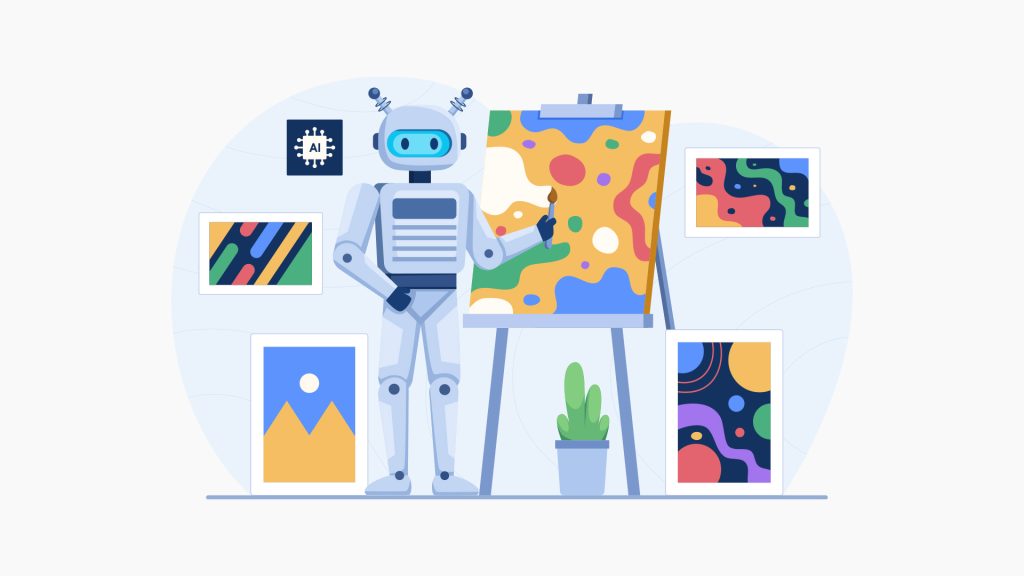
Now we get to the fun and slightly scary part: Generative AI in UX design. This is not just AI predicting things. It is AI creating things. It can generate onboarding copy, create multiple layout options, draft microcopy variations, build icons, or even generate images and UI elements.
But the biggest change is conversational interfaces. Chat-based experiences are becoming a new “navigation layer.” Instead of hunting through menus, users can ask for what they need. That is why How AI Is Transforming UX Design often starts with assistants, copilots, and chat-driven flows.
Still, it becomes more important to design these experiences carefully. A chat box is not automatically better than a well-structured interface. It becomes valuable when it reduces effort, improves clarity, or handles complex tasks more smoothly than buttons and menus for that matter.
Using AI in the UX design process
AI is not only changing what users see. It is also changing how teams work. Designers are increasingly using AI in UX design process to speed up tasks that used to take hours. This does mean human judgment is not needed. It just helps teams move faster and test more options early. That is another major role of AI in UX: boosting iteration speed.
Ways AI is Changing UX that designers must design for
There are some changes that require special attention because AI experiences behave differently from normal interfaces. Here are Ways AI is Changing UX that matter:
Unpredictable outputs
AI can respond in slightly different ways each time. UX needs guardrails: suggested prompts, examples, and clear actions to fix mistakes.
Trust becomes part of UX
Users want to know: Why did the app suggest this? Is it safe? Is it accurate? Trust is now a design problem, not just a product problem.
Errors feel different
When a button fails, users retry. When AI gives a wrong answer, users lose confidence. So error handling, transparency, and recovery flows become essential.
AI-driven UX across the product development lifecycle
To make AI work properly, teams should think about AI-driven UX across the product development lifecycle, not just at the UI stage. That means:
- Discovery
- Design
- Build
- Test
- Launch and improve
AI features that are rushed often feel inconsistent. AI features that are designed end-to-end feel magical.
Core UX principles still matter, even more now
With all this excitement, it is easy to forget basics. But the truth is, smart interfaces demand stronger foundations. You still need core UX principles in AI-powered interfaces like clarity, consistency, accessibility, and user control.
Will AI take over UX design?
A question that keeps popping up is will AI takeover UX design. The practical answer is: AI will take over repetitive tasks, not the responsibility. UX design is not just making screens. It is understanding people, business goals, context, ethics, constraints, and long-term experience quality.
What AI does is that it generate options, but it cannot own the outcome. You cannot depend on AI for trust, bias, inclusivity, and user safety and since it is a tool, you cannot hold it accountable for accuracy as well. That is why How AI Is Transforming UX Design is really about collaboration. Humans steer the product direction. AI accelerates execution and personalisation.
Also, brands still need a point of view. UX is part of brand. AI cannot define what your product should stand for.
What you should do if you want to build better AI-powered experiences
If you are building or upgrading a product, start simple:
- Pick one user pain point where AI can reduce effort
- Make outputs easy to verify and correct
- Add transparency so users understand what is happening
- Keep control in the user’s hands
- Test with real users and real data
When you follow this approach, AI in UX design becomes genuinely useful, not just trendy. It also ensures your AI-driven UX design stays human-friendly, and the AI impact on UX design becomes a competitive advantage rather than a risk.
Winding Up
If you want to design AI-powered experiences that feel clear, trustworthy, and genuinely easy to use, GTECH, a UX design agency in UAE can help you craft smarter interfaces without losing the human touch.

Related Post
Publications, Insights & News from GTECH