

How To Redesign a Website Without Losing SEO?

From considering a major panoramic scale overhaul of your website like changing its URL structure, domain name, subdomains, internal link structure and page-level enhancement to making slight changes appearance-wise, alongside attempting to make the website more compelling for the inception of greater foot traffic, you can have multiple reasons to want to redesign your website without losing SEO. However, contrary to a popular belief that a website’s SEO needs to be set up just once, it isn’t the case ever. When a major chunk of the website is altered, multiple backlinks from other websites, URLs as well as SEO can be lost or even rendered useless. However, one can still aim to redesign website without losing SEO. This blog additionally contains an SEO website redesign checklist, that you could follow.
Despite the not very fair-weather nature of a website migration SEO impact, Following Google Search Central’s official site migration best practices, a redesign should be viewed as an opportunity to improve site architecture, increase page ranks, and boost conversion rates. For websites with significant search engine traffic, a website overhaul or redesign ought to be thoroughly thought through and done carefully to maintain its SEO. Following the steps below and analyzing the website migration SEO impact, can help you keep tabs on what mistakes to avoid and what to practice for the search engine to reindex the content of your website, as it is enhanced and updated.
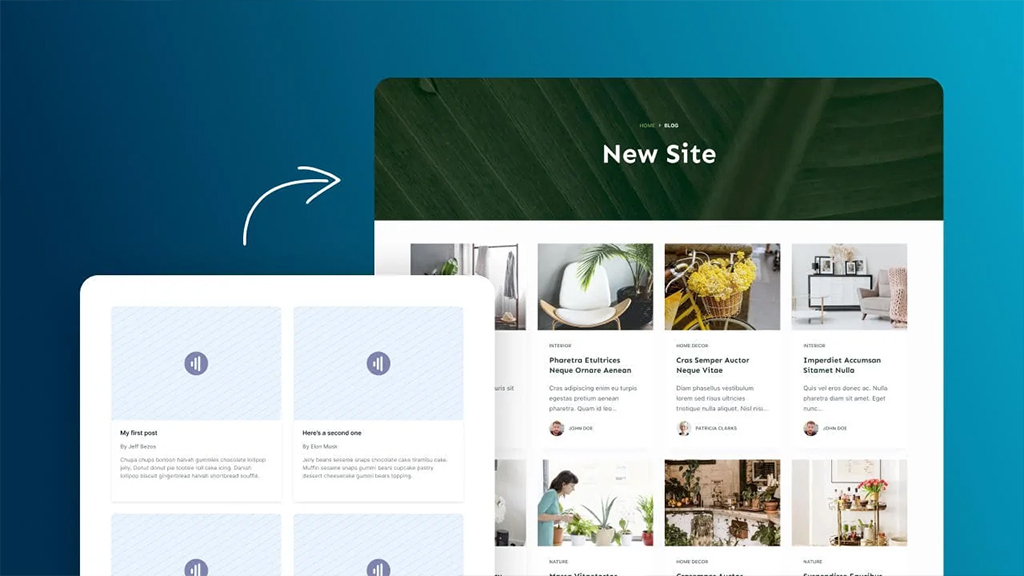
What is the Website Migration SEO Impact?
During a site makeover or redesigning, the following are crucial to redesign the website without losing SEO and to keep its rankings and SEO in good shape and working order:
1. Being aware of what meshes well on the current site– When you consider transferring SEO to a new website, you must keep a record of what works on the current one. According to HubSpot’s comprehensive guide to website redesigns, preparing an SEO checklist is imperative, as is documenting every existing URL and sitemap before making changes. Website redesign SEO considerations are not exactly an off-the-charts decision, but you will need something as basic as a backup of the existing sitemap.
2. Recognizing potential areas of improvisation– You may add more material, rearrange it according to the framework of your website, or even delete it completely. Adding new features or sections to the website can encounter some technical difficulties too. Even though it’s doubtful that the revamp would incorporate all of these changes, if not planned and implemented carefully, even one of these changes can negatively impact the website rankings and traffic.
3. Methodically preparing a new website location– It’s advisable that all changes, additions or alterations in appearance that you deem important, should be done on a temporary website with temporary URLs. Remodifying the existing website can cause glitching and erring for visiting traffic. You should carefully examine several areas of your website, such as the CSS, broken links (XENU- helps find broken links on the new page), and other such elements. Changes made to the alternative or temporary site should be tested duly before entirely switching domains.

4. ‘301 redirecting’ of all the outdated URLs to the fresh or current URL- Website migration SEO is synonymous with risking the loss of optimization if 301 redirecting isn’t set between the new and old URLs. As detailed in Google Search Central’s documentation on 301 redirects, the old URL must be permanently forwarded to the new one to preserve link equity and ranking signals. The search engine can flash 404 ‘web pages not found’ if the redirecting is not done systematically and properly you will also need to ensure that the additional pages are organized and stacked up in such a way that both visitors and search engines can locate them and comprehend their relationship.
5. Closely observing the consequences of the change- To redesign website without losing SEO, one should also closely examine the follow-up statistics and traffic of the website after the necessary alterations are done.
SEO Website Redesign Checklist-
An infallible and dependable SEO website redesign checklist should look somewhat as follows:
- You should analyze the site contents completely and chalk out the new designs and redirection you wish to assign to it.
- You must look at more than just avoiding the debacle of Website migration SEO loss; such as fueling content operations or determining new SEO goals maximized through Content Management Systems.
- Website back-up to a temporary URL where the changes are finalized, checking for broken links (through XENU or Google Webmaster) is a must. Add 301 redirecting links, so that you can receive the traffic from both old and new backlinks and URLs.
- After making the necessary changes and shifting to the new website domain, you should submit the remodified website’s XML to Bing, and Google. To not encounter any robot.txt files and make your website entirely crawlable, run the ‘fetch-and-render’ option.
- Checking for website migration SEO impact after updating, is imperative to check the slowing down of traffic if the website or alterations are too big.
Redesigning a website is a crucial step as you may loose SEO traffic initially. To avoid this, hiring someone who is an expert in SEO migration is a better option. GTECH, an best SEO agency Dubai can help you in making a full-fledged checklist without hurting your ranking and traffic.
FAQs: Redesigning a Website Without Losing SEO
Q1: Can I redesign my website without losing my SEO rankings?
Yes, it is entirely possible to redesign your website without losing SEO. By carefully planning your migration, keeping a backup of your existing sitemap, and properly implementing 301 redirects, you can maintain your current search rankings and even improve your conversion rates.
Q2: What is an SEO website redesign checklist?
An SEO website redesign checklist is a critical roadmap used during a site overhaul. It ensures you document what currently works, methodically prepares a temporary staging site, adds 301 redirects, and safely submits your new XML sitemaps to search engines to prevent sudden traffic drops.
Q3: Should I test my website redesign before going live?
Absolutely. All significant additions, design alterations, and URL changes should be tested methodically on a temporary staging website first. Modifying a live website can cause technical glitching and poor user experiences, which negatively impacts your search rankings and live traffic.
Q4: How do I find broken links during a website redesign?
During your redesign on the staging site, you must actively check for broken links to protect your user experience. Using crawling tools like XENU or Google Webmaster Tools allows you to easily find and fix broken links before you completely switch over to your new domains.
Q5: What is the role of 301 redirects in a website redesign?
A 301 redirect is your most critical tool during a site migration. It permanently forwards traffic and search engine bots from an old URL to your fresh URL. If you fail to use 301 redirects, users will hit 404 error pages, and you will lose your optimized rankings.
Q6: What happens to my SEO if I don’t use 301 redirects?
Failing to systematically set up 301 redirects will cause search engines to flash “404 web page not found” errors to your visitors. This instantly severs the connection to your old backlinks, resulting in a massive, immediate loss of your site’s SEO value and organic traffic.
Q7: Do I need to update my XML sitemap after a redesign?
Yes. Once you have made all the necessary changes and shifted to the new website domain, you must generate and submit your remodified XML sitemap to Google and Bing. This ensures search engines quickly crawl and reindex the updated structure of your site.
Q8: What is the “fetch-and-render” option for website redesigns?
After launching your redesigned site, using the “fetch-and-render” option in Google Search Console is highly recommended. It allows you to ensure that your new pages are entirely crawlable and that you haven’t accidentally blocked search engine bots with faulty robots.txt files.
Q9: Should I monitor my traffic after a website redesign?
Yes, observing the consequences of your redesign is imperative. You must closely examine your follow-up statistics, keyword rankings, and organic traffic after the new site goes live. This allows you to quickly identify any technical SEO impacts caused by massive architectural changes.
Q10: Should I hire an expert for an SEO website migration?
Redesigning a website carries a massive risk of losing your hard-earned organic traffic if technical mistakes are made. Hiring an expert SEO agency in Dubai is the safest option. They provide a full-fledged checklist and handle the technical migration without hurting your current rankings.

Related Post
Publications, Insights & News from GTECH