

Top 7 Steps to Crawl Optimization
When Google visits your website, you have little time to impress the search engine. Therefore, you should optimize your website, this time not for SEO but for crawling. And that brings us to the topic we will discuss below: crawl optimization.
Interested? Let’s get started.
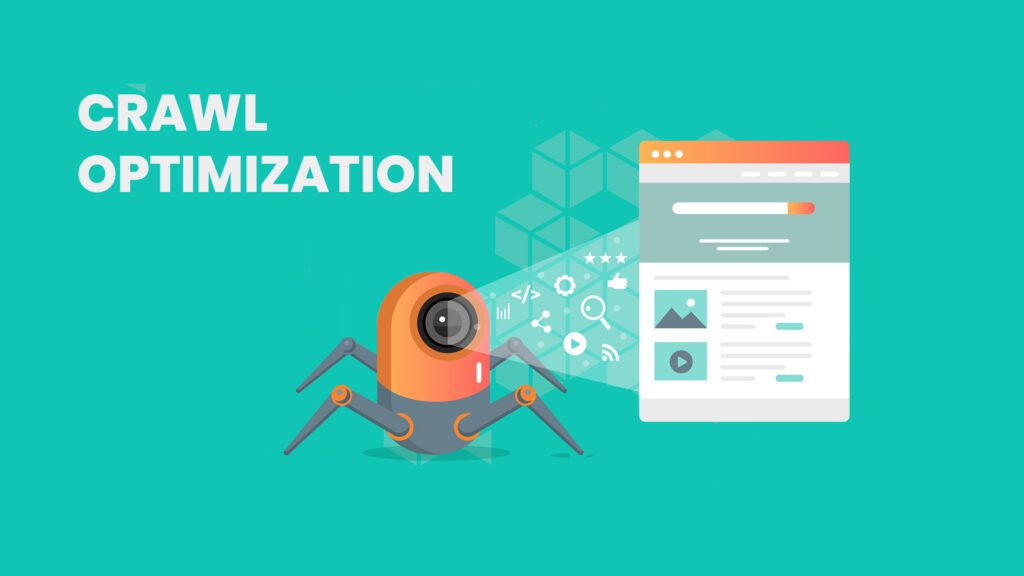
What’s the Crawl Budget?
As defined in Google Search Central’s official guide to crawl budget management, the crawl budget is the number of pages (URLs) that Google crawls in a given timeframe. Sometimes you can say that the crawl budget is counted per day, but sometimes it’s not. This is a rule of thumb that’s not universal. One thing to keep in mind is that there’s a certain frequency with which Google bots (crawlers) read through your URL.
These bots are programmed to meet a number of criteria. For example, they’ll never overload your host and are very picky about how long they stay on your domain. If they can’t go through your material quickly, they’ll leave, and you’ll lose.
So develop your crawl optimization strategy by following these simple tips:
1. Server Response & Log Files
You will disappoint Google crawlers if:
- Crawling your site decreases server response time.
- Your server responds incorrectly, or you experience connection timeouts.
Usually, when the list of URLs exceeds a certain threshold, the bots can no longer crawl your website without slowing down the server. Therefore, they stop crawling. Analyzing server logs is sometimes the most critical step in optimizing your crawling budget.
A server log is a file that records all requests made to the server. Its analysis provides you with the following important data.
- How often the crawlers visit your website
- Which pages are crawled, and how often
- How big are the files (are there errors?)
2. Remove Low-quality, Outdated, & Duplicate Content
The last thing Google bots want is low-quality, outdated and duplicate content. What are they?
- Low quality: Your website has too little content, no structure, or the content isn’t concise. In this case, the bots will likely determine that no one proofreads your web material.
- Outdated: Your service or product pages are no longer valid, and your blogs are too old. Remember that outdated content can still exist in Google’s databases for weeks or months as cached content or snippets, even after editing or removal. Google Search Console can help you with this problem.
- Duplicated: You’ve copied and pasted content from other websites or you or your authors have just swapped and changed a few words. But that’s not enough. Google won’t classify your content as “original” or “unique.”
3. Learn Google Bots Language
When Google bots visit your web pages to crawl them, they document everything for themselves and part of it for you in various log files – for example, the server log files (see above).
This way, you can see how successful their crawling sessions were, and you can develop a new crawl optimization strategy. You can revise some of your web pages and instruct the bots to crawl only through those pages.
According to Google’s technical documentation on robots.txt, this file is used to tell Google crawlers whether or not they can access certain pages, folders, or directories.
4. Update Your Sitemap
Updating your sitemap is a crucial step in optimizing a website. And when it comes to crawling, sitemaps play an even more important role. If you have a well-optimized sitemap, crawlers will quickly recognize the internal linking structure and can move on to the next critical elements they see.
When updating your sitemap, avoid using non-canonical URLs, i.e., pages that are not representative of a set of duplicate/important pages on your site.
5. Develop An Internal Linking Strategy
Google bots interact with links. If they find enough internal links (especially in your sitemap), they’ll crawl, cash, and add more data for their indexing.
As explicitly warned in Google’s JavaScript SEO basics, if your internal linking is built exclusively with JavaScript, Google bots may have trouble finding and crawling it. Your entire internal linking strategy could be lost in this scenario. Keep this in mind if you can’t avoid javascript.
6. Have a Text Version for Your Visual Content
While visuals are best for user experience (UX) and user interface (UI), they aren’t so good for Google bots.
While you should always add images that add value to your content, Google bots will likely prefer text and words because they’re more machine-readable.
Sometimes Google search engines can find a website’s content more easily if they find a relevant, original image that matches what users are looking for. AI-powered tools and machine learning methods are in development, and even Google tools aren’t expected to be able to convert the content of an image into text. Therefore, always provide a textual description for your infographics.
7. Optimize Your Site Structure
It’s believed that the pages directly linked from your homepage or landing page are more important for crawlers. As a general rule, critical elements of your site should be as close together as possible, i.e., less than three clicks apart.
If you’re working on larger sites, develop a hierarchy with links to blogs, posts, and service/product pages.
Wrapping Up
So we’ve learned that crawling and SEO optimization have a lot in common. The most important thing is to develop a practical and up-to-date optimization strategy to top search results lists. How? Contact us to get the most out of this combination at the best price. GTECH will help you achieve SEO and crawl optimization at the same time. Visit GTECH, a leading SEO firm in Dubai.
FAQs: Crawl Optimization Guide
Q1: What is a crawl budget in SEO?
A crawl budget refers to the total number of pages search engine bots will crawl on your website within a given timeframe. If search bots waste time on low-quality pages or slow servers, they leave before indexing your best content. An expert SEO agency in Dubai can help you maximize this budget for better visibility.
Q2: How does server response time affect my crawl budget?
Search engine bots are programmed to never overload your host. If crawling your website decreases your server response time or causes connection timeouts, bots will immediately stop crawling. Upgrading your server and optimizing response times ensures Google bots can efficiently index your entire site.
Q3: Why should I analyze my server log files?
Server log files record every request made to your site, making them critical for crawl optimization. Analyzing these logs shows you exactly how often crawlers visit your website, which specific pages they look at, and whether they encounter any server errors or massive file sizes during their crawl.
Q4: Do low-quality pages waste my crawl budget?
Yes. If your site contains pages with thin content, poor structure, or outdated information, search engine bots will waste valuable time crawling them instead of your important pages. Removing or updating low-quality, outdated, and duplicate content is a highly effective way to optimize your crawl budget.
Q5: What is the role of a robots.txt file in crawl optimization?
A robots.txt file acts as a direct line of communication between you and search engine crawlers. It allows you to instruct bots on exactly which pages, folders, or directories they are allowed to crawl, preventing them from wasting their budget on private or irrelevant backend pages.
Q6: How does an XML sitemap improve search engine crawling?
An updated, well-optimized XML sitemap acts like a roadmap for search engines. It helps bots quickly recognize your internal linking structure and find your most critical pages. To ensure a smooth crawl, you must make sure your sitemap avoids using non-canonical or duplicate URLs.
Q7: Why is internal linking important for crawl optimization?
Google bots rely on internal links to navigate through your site. A strong internal linking strategy allows crawlers to easily discover, cache, and index new data. Ensure your links are built using clean HTML rather than heavy JavaScript, which bots often struggle to follow.
Q8: Can Google bots read images on my website?
While images enhance the user experience, search engine bots prefer text because it is easily machine-readable. AI cannot perfectly convert visual content into text yet. To ensure bots understand your visuals, you must always provide descriptive text or alt text for your images and infographics.
Q9: How does site structure impact crawl speed?
A flat, optimized site structure ensures bots can access your most important content quickly. As a general rule, critical pages should be no more than three clicks away from your homepage. A logical hierarchy makes it drastically easier for crawlers to navigate your blog, product, and service pages.
Q10: Can outdated content hurt my SEO?
Yes, leaving obsolete product pages or severely outdated blog posts active on your site dilutes your overall domain quality. Even after editing, old content can linger in Google’s cache for weeks. Routinely auditing and removing obsolete URLs ensures bots only spend their time indexing your best, up-to-date content. Partnering with a reliable SEO company helps maintain a clean, crawl-friendly website that search engines love to index.

Related Post
Publications, Insights & News from GTECH