


WordPress vs Webflow in Website Development: The Key Differences

Making a website for a layman feels like undertaking the work of programming specialists and computer techies. Building a website is like creating a masterpiece, except you’re working on the backside and you aren’t always seeing how it is turning out to be, step-by-step.
Getting into the WordPress vs Webflow discourse, with the advent of WordPress, a content management system, this process has been fairly simplified and almost everyone can use it to host websites using templates for business portfolios, blogs, online stores etc, that WordPress offers for free. The many guides offered by WordPress itself, make this process a cakewalk. Themes, plugins to domain names and premium upgrades of features or controls, need to be purchased. Whilst WordPress outshined its other contemporaries like Drupal, and Joomla, by a cut way above them, Webflow made its inception and stole the show instead. Now, the question that arises is, why is Webflow better than WordPress?
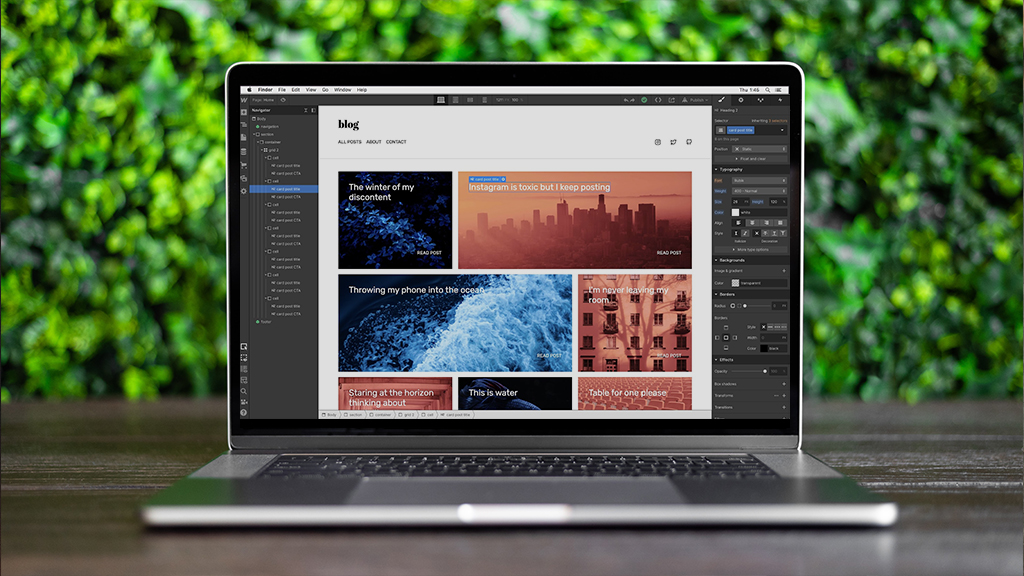
Webflow is a fully customizable SaaS platform, which allows even clients to collaborate on content, without entailing the risk of ruining or crashing the whole website at once. It allows you to access the entire source code of the website and provides you and your clients a huge playground where customizing is allowed and easy to yield, which is naturally more satisfactory than having to resort to the existing templates. The difference between Webflow and WordPress is that you don’t need to purchase plugins to work on Webflow.
Which is better: Webflow or WordPress? In the following criteria mentioned, we compare Webflow and WordPress and highlight key areas of difference between Webflow and WordPress.
WordPress vs Webflow: Installing the respective Content Management Systems.
WordPress has always been regarded as the easiest to install CMS, which takes as less as five minutes to install on any device. Users prefer automatic installation to manual installation (which is more complicated, and involves creating the database, using an FTP client and finally running an installation wizard). What could be better than the easy installation of WordPress? Well, not having to install anything at all, maybe? Webflow is available online and is free of cost. It requires no installation and you can create an account, have an editable website and start working on it, all in less than a minute.
WordPress vs Webflow: Accessibility or Usableness
As we compare Webflow and WordPress on the basis of accessibility, the WordPress website interface has the advantage of being simple, and not overly complicated with only specific methods of ideation and workability. It is flexible in the way that it offers you several menus for quick use to make the necessary modifications. The upscaled changes, user administration, construction of sections, articles and blogs, etc. are easily facilitated through using Gutenberg, a customizable block-based interface, you can also easily revise and modify the website content to your intended subject matter or theme.
Is Webflow better than WordPress with regards to the purchase of plugins? Certainly! These features are in-built and hence, the technical subtleties, though hard to master at first, do not go unnoticed. Webflow lets you have very elementary control and maximizes your grip on the dynamics of the website design. This blog content editor, however, isn’t quite as satisfactorily versatile as WordPress’s block editor, despite the ease with which you can insert media.
WordPress vs Webflow: SEO performance
Third, in the difference between Webflow and WordPress saga, and of course one of the most deliberate reasons why Webflow is better than WordPress is the SEO and how to optimize the tags on certain pages. Even though WordPress is a tool that automatically filters for SEO, it can falter very badly if the settings are befouled. It describes all the methods you may use to try to position your content as high as possible on the result webpage of any search engine like Google, Bing, DuckDuckGo etc. WordPress invariably requires an SEO plugin to enhance the SEO performance, like Yoast SEO, Rank Math and SEOPress.
Webflow on the other hand does not make use of any plugins, instead offers an SEO-rich website, without the use of plugins. Webflow can automatically generate the sitemap of the website you’re working on to enhance SEO content. You have complete control over the development of 301 redirects and a Robots.txt file. Open Graph settings, meta title and meta-description tags, crucial SEO elements, can be locally edited within your pages using Webflow. Is Webflow better than WordPress in SEO performance? The answer is yes.
Why is Webflow better than WordPress?
Considering the differences between Webflow and WordPress upfront, it’s easier to determine the answer to the question ‘is Webflow better than WordPress?’ Webflow has greater advantages, given its flexibility, no requirement for coding, speed, maintenance and security. Now, one can use Webflow Pages Plugin to create pages for your WordPress site too.
Webflow focuses more on design control, providing a visual editor and catering to designers and professionals who want to create visually impressive websites with effective web design. It is a fully managed platform, making it more convenient for users who don’t want to deal with hosting and maintenance tasks.
WordPress is a highly flexible and customizable platform suitable for a wide range of website types with effective web design, with a massive ecosystem. WordPress offers a massive ecosystem of themes and plugins, supported by its official plugin repository with thousands of extensions. It is easier to use for beginners and offers more extensive customization options.
FAQs: WordPress vs Webflow in Website Development
What is the main difference between Webflow and WordPress?
The core difference between Webflow and WordPress lies in their philosophy. WordPress is an open-source CMS requiring separate hosting and plugins, while Webflow is a SaaS-based visual builder that combines design, CMS, and hosting into one platform.
Is Webflow better than WordPress for design flexibility?
Many designers ask, “is Webflow better than WordPress?” For those who want “clean code” without writing it manually, Webflow is superior. It offers a visual canvas that mimics CSS properties, whereas WordPress often relies on themes or heavy page builders that can bloat the site.
What are the top WordPress alternatives in 2026?
If you are looking for wordpress alternatives, Webflow is the leading contender for professional sites. Other options include Shopify for retail or headless CMS setups. However, a web development company in Dubai might still recommend WordPress for projects requiring deep third-party integrations.
Why Webflow is better than WordPress for site speed?
Why Webflow is better than WordPress often comes down to the “clean code” output. Webflow generates streamlined HTML/CSS without the excess plugin scripts common in webflow and wordpress comparisons, leading to faster load times right out of the box.
How do Webflow vs WordPress pricing models compare?
In a Webflow vs WordPress pricing analysis, WordPress has a lower entry cost but hidden fees (hosting, security, premium plugins). Webflow has a higher, transparent monthly fee that includes high-performance hosting and SSL, making it a predictable investment for website development.
Should I switch from WordPress to Webflow?
Should I switch from WordPress to Webflow? If your team struggles with plugin updates and security patches, moving to Webflow’s managed ecosystem can save time. Webflow even makes the transition easier by supporting 301 redirects webflow management to ensure you don’t lose your existing SEO rankings.
Webflow vs WordPress for eCommerce: Which wins?
In Webflow vs WordPress for eCommerce, WooCommerce (WordPress) is more powerful for massive inventories and complex shipping logic. Webflow eCommerce is better for “boutique” stores that prioritize a unique, high-end visual shopping experience over thousands of SKUs.
Do professional web designers use Webflow?
Yes, do professional web designers use Webflow? Absolutely. It has sparked a massive webflow discourse in the design community because it allows designers to build production-ready sites without a developer, bridging the gap between Figma and the final product.
Compare Webflow and WordPress: Pros and Cons?
When you compare webflow and wordpress, WordPress wins on “extensibility” (50k+ plugins) and community support. Webflow wins on “security” and “design-to-code” accuracy. Most web development services will choose based on whether the client needs a custom-coded powerhouse or a visual-first marketing site.
Will Webflow replace web developers?
No. While it automates the frontend, developers are still needed for complex logic, custom API integrations, and advanced backend workflows. It simply changes the developer’s role from writing CSS to managing data and systems.

Related Post
Publications, Insights & News from GTECH