

YouTube Content Calendar Strategy for Consistent Channel Growth

Growing a channel gets a lot easier when content stops being a last-minute scramble. A YouTube content calendar gives every video a place before filming even begins, so ideas, timing, and goals stay clear. If channel growth has felt inconsistent, learning how to create a YouTube content calendar system that is simple and repeatable can make a huge difference.
A lot of creators assume planning means building a giant spreadsheet with color codes, formulas, and complicated workflows. It does not. A solid YouTube content planner can be as simple as a weekly list of video ideas, posting dates, keywords, and basic production notes. The goal is not to make planning harder. The goal is to make publishing easier. When every video has a purpose, the channel starts feeling more focused, and viewers begin to know what to expect.
What a YouTube Content Calendar Actually Does
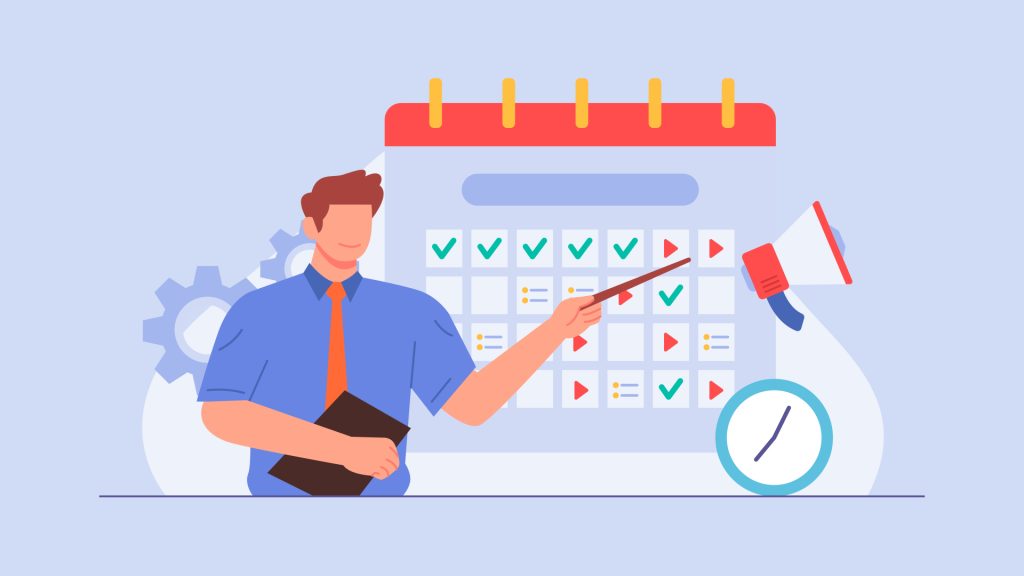
At the most basic level, a Content calendar for YouTube is just a roadmap. It helps organize what to post, when to post it, and why it matters to the audience. That roadmap might include tutorials, product reviews, reaction videos, seasonal topics, behind-the-scenes content, or a full series that rolls out over several weeks. A good YouTube content calendar template should include the video topic, target keyword, publish date, status, and any notes about hooks, thumbnails, or calls to action. That keeps planning practical instead of overwhelming.
Start With Ideas Before Dates
Start with ideas first, not dates. Setting a deadline first without having an idea or blueprint leads to stress and weak ideas. A better approach is to list topics people actually care about. What do you think people might enjoy? Talk about common questions from viewers, videos that performed well in the past, industry trends, seasonal moments, and recurring pain points. A simple YouTube content planner becomes much more powerful when it is built around audience interest instead of random guesses.
Group Content Into Themes
So now that you have a clear idea developing in your mind, group topics into themes. A beauty channel might plan beginner tutorials, product comparisons, and quick routines. A finance channel might map content into saving tips, investing basics, and money mistakes. A tech channel might create a sequence around unboxing, setup, best features, and long-term review. This is where a YouTube content calendar really starts helping because it turns scattered video ideas into a connected viewing journey. For creators wondering how to create YouTube content calendar workflows that support bingeable content, planning in topic clusters is one of the easiest wins.
Use Research to Plan Smarter
Research also matters, but it does not have to be complicated. Before locking in a topic, check whether people are actually searching for it and whether the angle feels fresh. Review old channel data, browse comments, scan competitor topics, and look at trending conversations in the niche. This is also a smart time to run a quick channel audit process so weak spots become easier to spot. Maybe tutorials bring more watch time than opinions. Maybe short videos attract clicks, but not subscribers. A Content calendar for YouTube works best when it is built around real signals instead of assumptions.
Set a Realistic Publishing Schedule
After topics are chosen, assign realistic publishing dates. Consistency matters more than ambition. Posting one strong video every week is far better than posting three rushed videos and disappearing for a month. A consistent publishing strategy trains both the creator and the audience. It builds routine, reduces panic, and gives each video enough time for scripting, filming, editing, and promotion. This is where a second YouTube content calendar template can be helpful too, especially when managing a team or juggling shorts, long-form videos, and community posts at the same time.
Track the Full Production Process
Production planning should sit inside the same system. The best YouTube content planner is not only about ideas and upload dates. It should also show what stage each video is in. Add labels like ‘idea’, ‘research’, ‘script’, ‘film’, ‘edit’, ‘thumbnail’, ‘scheduled’, and ‘published’. That way, there is always a clear next step. For anyone still confused by the YouTube content calendar setup, keep it simple: one document, one list, one status tracker, and one weekly review session. That is enough to create order without turning the process into office admin.
Keep the System Simple
A common question comes up at this point: How to make a YouTube content calendar? The easiest answer is to start small and keep it useful. Pick four to eight video ideas, match them to weekly dates, and add just enough notes to stay organized. No creator needs a fancy system on day one. What matters is that the plan gets used. A YouTube content calendar that is simple and active will always beat a perfect one that gets ignored after three days.
Leave Room for Flexibility
It also helps to leave room for flexibility. Not every month should be planned down to the hour. Some space should be reserved for trend-based videos, sudden news in the niche, audience requests, or follow-ups to a breakout upload. Good planning is structured, not rigid. That is one of the biggest lessons behind how to create a YouTube content calendar methods that actually support growth. The calendar should guide content, not trap it. A well-used YouTube content planner gives structure while still leaving space to react to what is working right now.
Review What Worked and Repeat It
Another smart move is to revisit older videos while planning future ones. If a topic performed well last year, it might deserve an update. If a beginner’s guide got traction, it might lead to a part two. If a seasonal video popped off once, it may have repeat potential. This is how channels turn one-off wins into repeatable growth. A YouTube content calendar makes these patterns easier to notice because everything sits in one place instead of being scattered across memory, notes apps, and random drafts. That is also why creating a YouTube content calendar habit should focus on review, not just scheduling.
Winding Up
Building a YouTube content planner does not need special software or a huge team. It just needs a repeatable method, an honest review, and a clear publishing rhythm. Once that becomes normal, the YouTube content calendar stops feeling like a task and starts feeling like a growth tool.
Ready to bring more order to uploads and make content planning easier month after month? GTECH, a YouTube content planning and digital marketing service, can help build a smarter workflow that supports steady publishing, stronger ideas, and better long-term channel momentum.

Related Post
Publications, Insights & News from GTECH